
What is worth seeing here? The city's sights, day trips and tours, in the app its residents already use
A visitor arriving for the weekend and a family that has just moved in ask the same question, and both get ten different lists. Here is how the city answers it in its own app.
Tomislav Krnic
Founder of the smart city project CityX · 3 min read
A couple arrives in a city for the weekend. A family moves there for work and, on its first free Saturday, wonders where to take the children. Both start the same way: a search on the phone, and ten sites, each with its own list.
The city knows what is worth seeing, and so do the people who live there. But the app a resident opens for the bus or the car park usually says nothing about the cathedral two streets away, and a visitor rarely finds the city's app at all.
What everyone goes to see, first
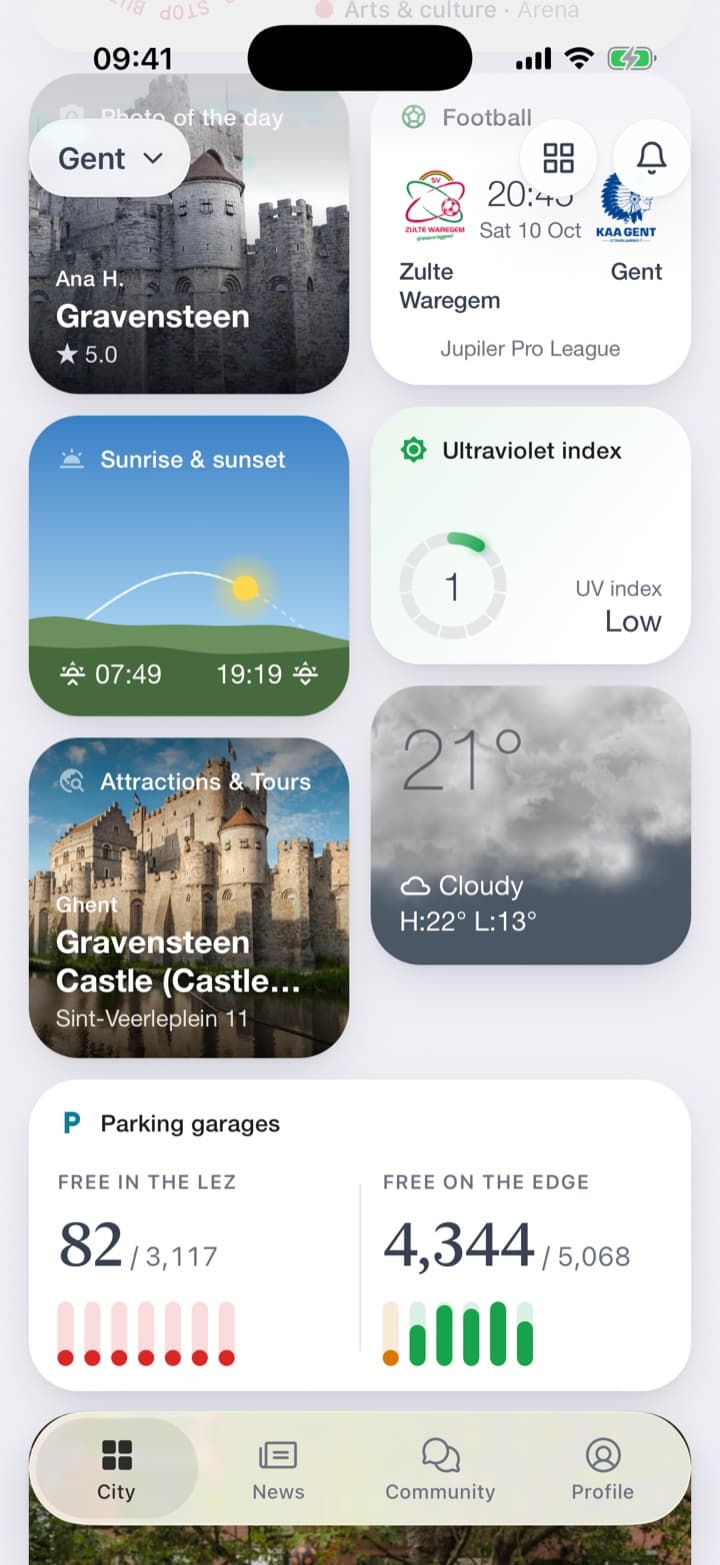
The Attractions & Tours service puts one sight on the home screen, with its photo and address: the one most visitors come to see. One tap opens the list, in two tabs: what is in the city, and day trips out of it.
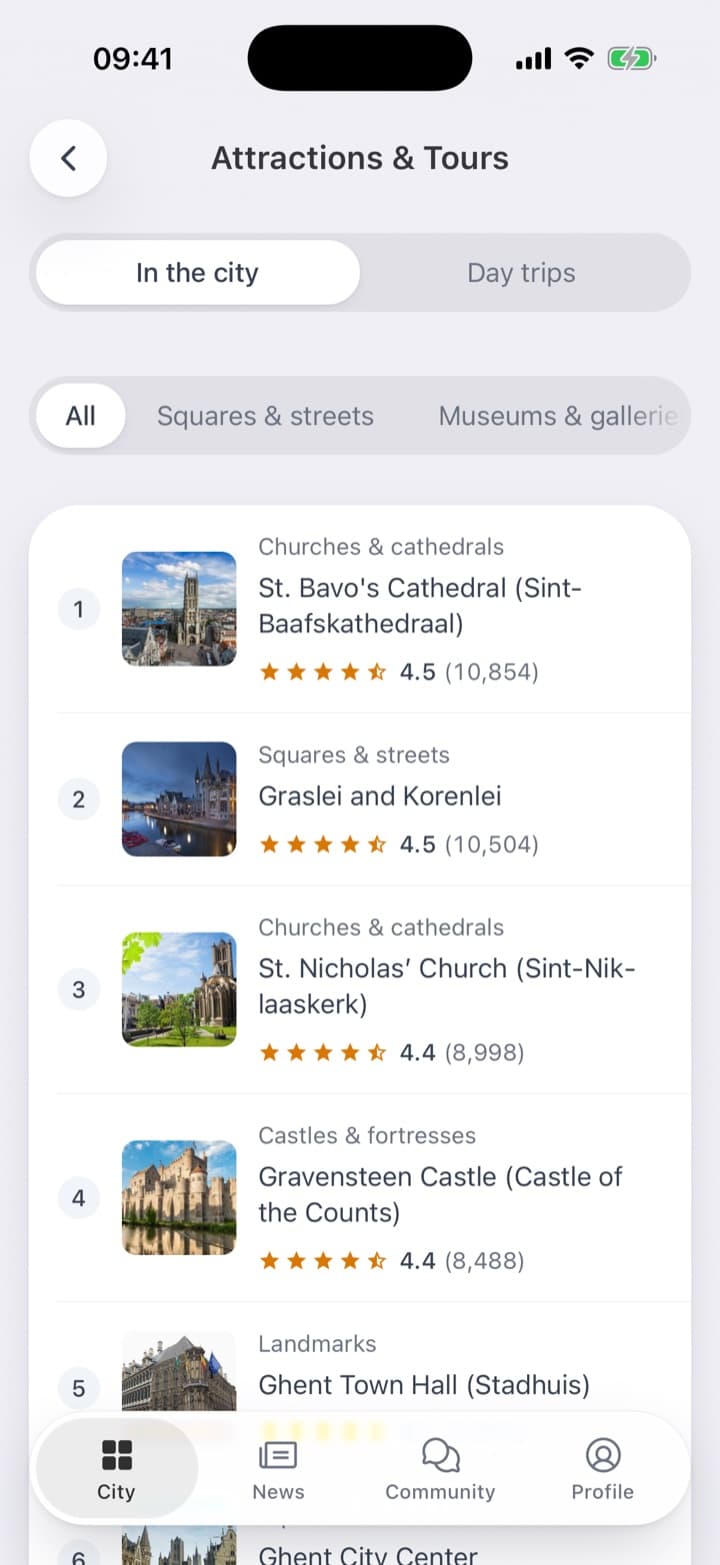
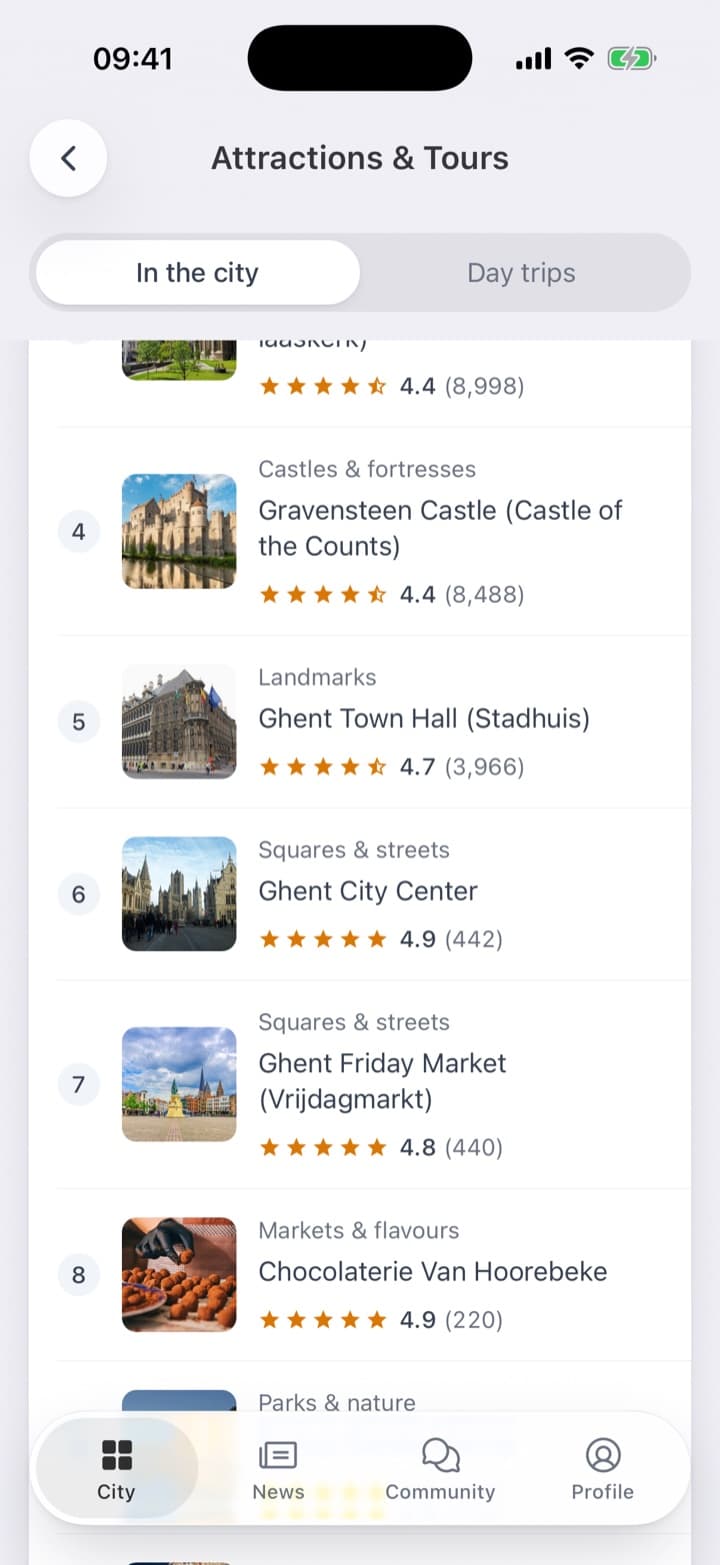
The list starts with the places most people come for, not with whatever happens to be closest. The sights everyone has heard of come first, then the squares, museums and churches a local would recommend. Each row has a photo, the kind of place and its rating in stars. Chips above the list leave only squares and streets, museums or churches.
One page, everything needed to go
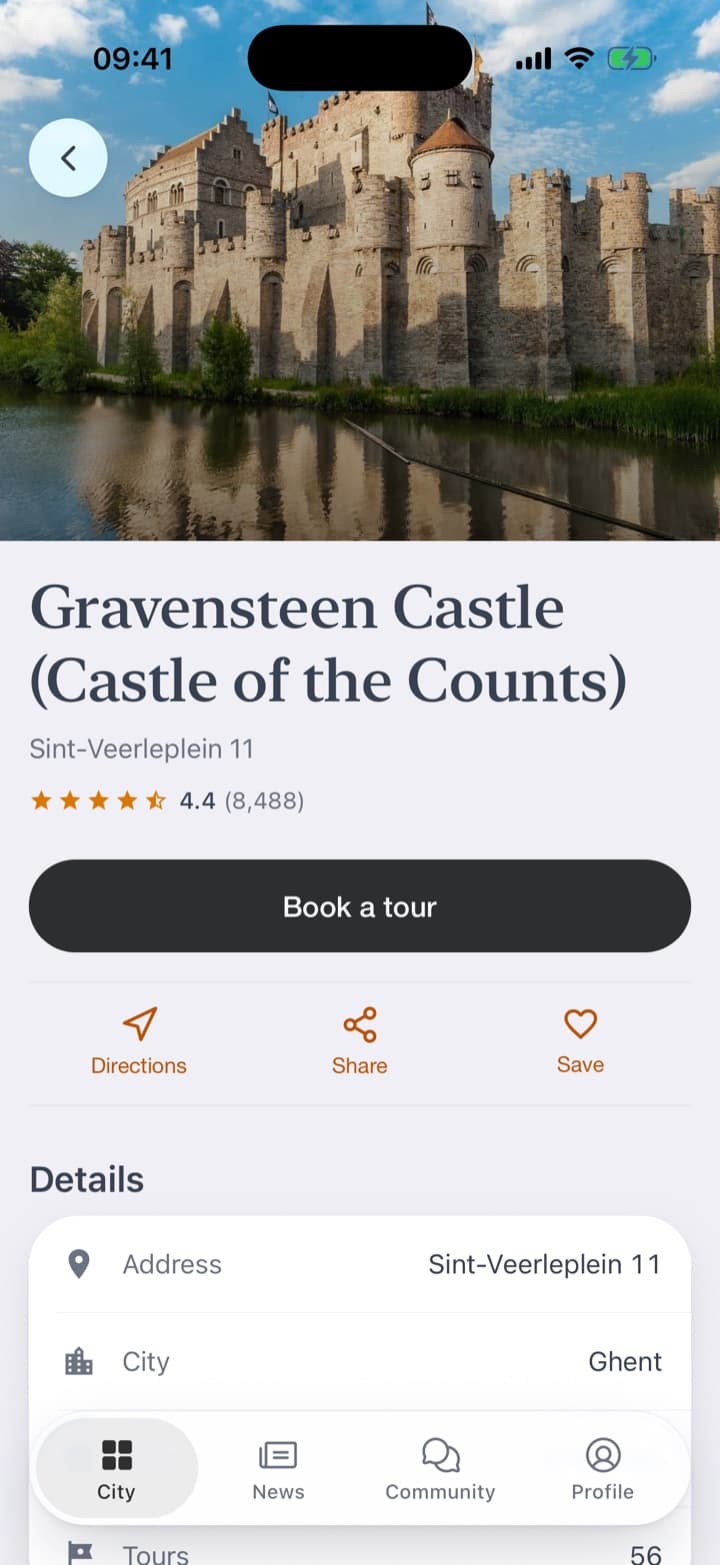
A tap opens the place's page: the photo, the address, the rating, and what a visitor does next: directions, sharing, saving for later. A button offers to book a tour, and the page says how many tours there are to choose from. Below are the details and a map.
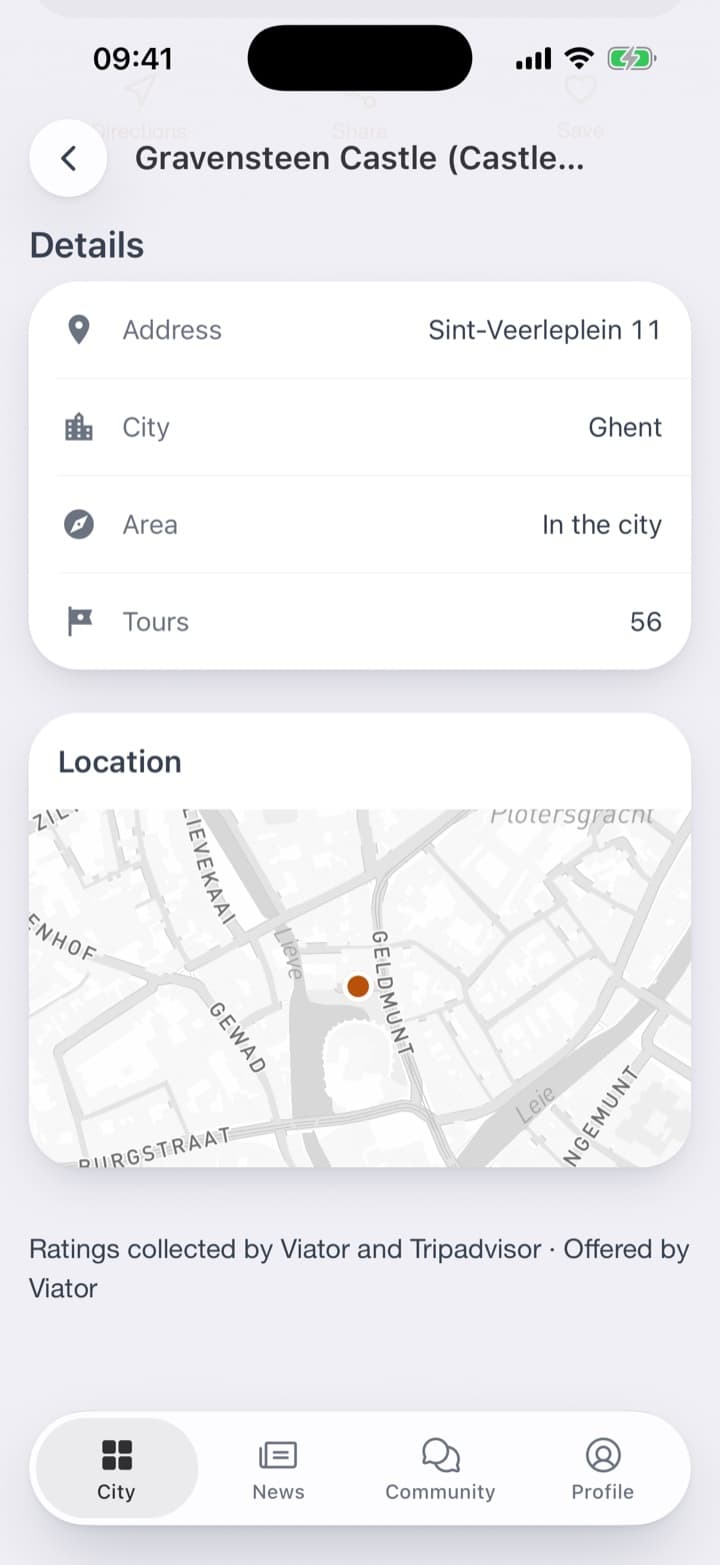
The service tells; whoever runs the tour sells. The city does not turn into a travel agency, and a resident does not need a second app to find out what is in their own city.
Nor is this a separate tourist app. The sight stands on the same home screen as the weather and the car parks. A visitor who opens the city's app for the sights finds the car parks too, and a resident who opens it for the car parks finds the sights.
What it takes
Every city has something worth seeing, and that is all it takes. The list, the photos, the ratings and the tours come with the service, with nothing for the city's staff to maintain.
A visitor has one question: what is worth seeing here? The city that answers it in its own app is the one whose app they keep after the weekend.