
Where does the city's money go? The budget, read on a phone
Every city adopts a budget and puts it on its website. Few citizens ever open it. Not because they do not care, but because it reaches them as a long document written for councillors.
Tomislav Krnic
Founder of the smart city project CityX · 3 min read
A citizen hears on local radio that the city has adopted its budget. Some say it is too much, some too little. They would like to know what the money goes on, but the budget is a long document full of tables, written for the city council, and they never open it.
That is a pity for the city as well. It has done the work properly: planned, debated, adopted and made public. Yet the most common question at the counter and on social media is still the simplest one: where does our money go?
Two figures first
The City budget service shows two figures on the home screen: what the city takes in this year and what it spends. That is the first thing a citizen wants to know, and it fits on one tile.
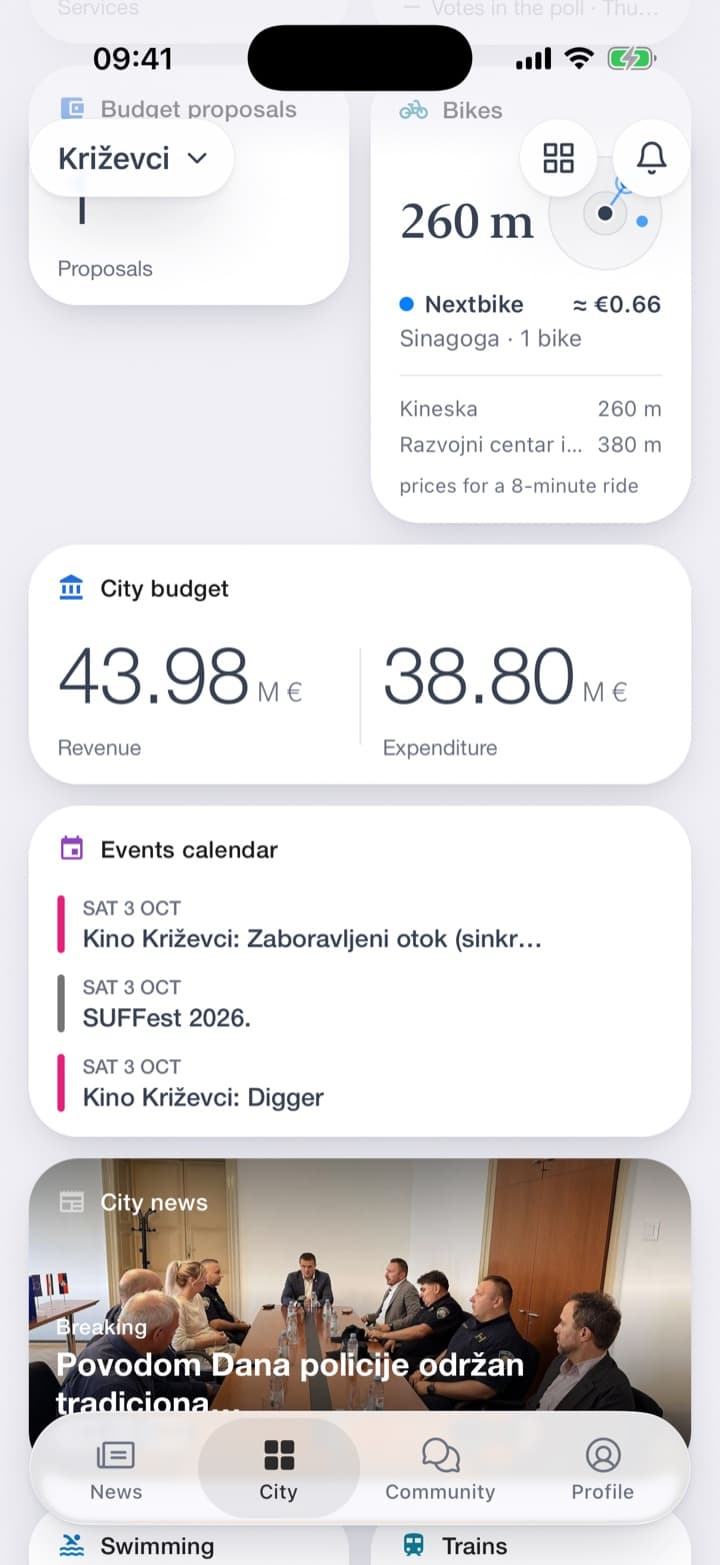
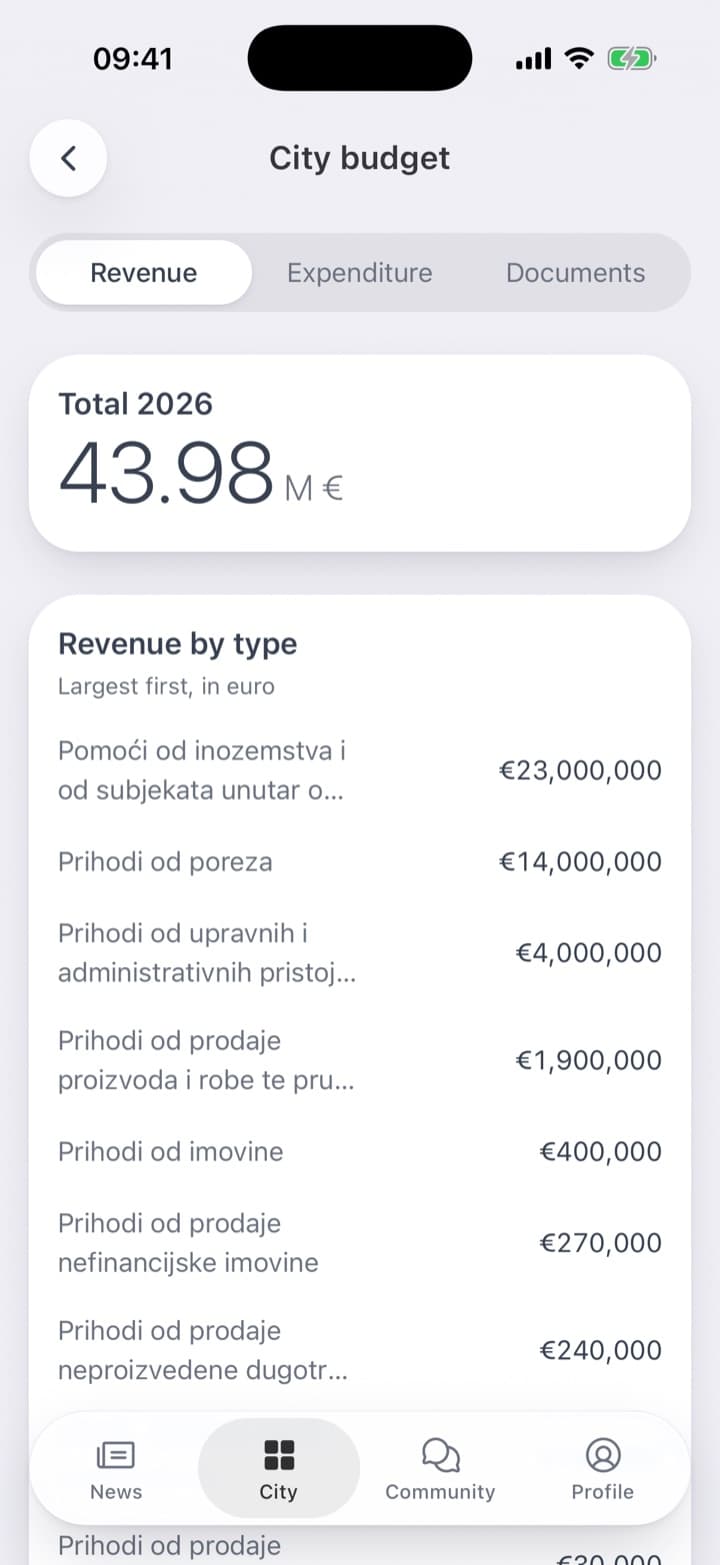
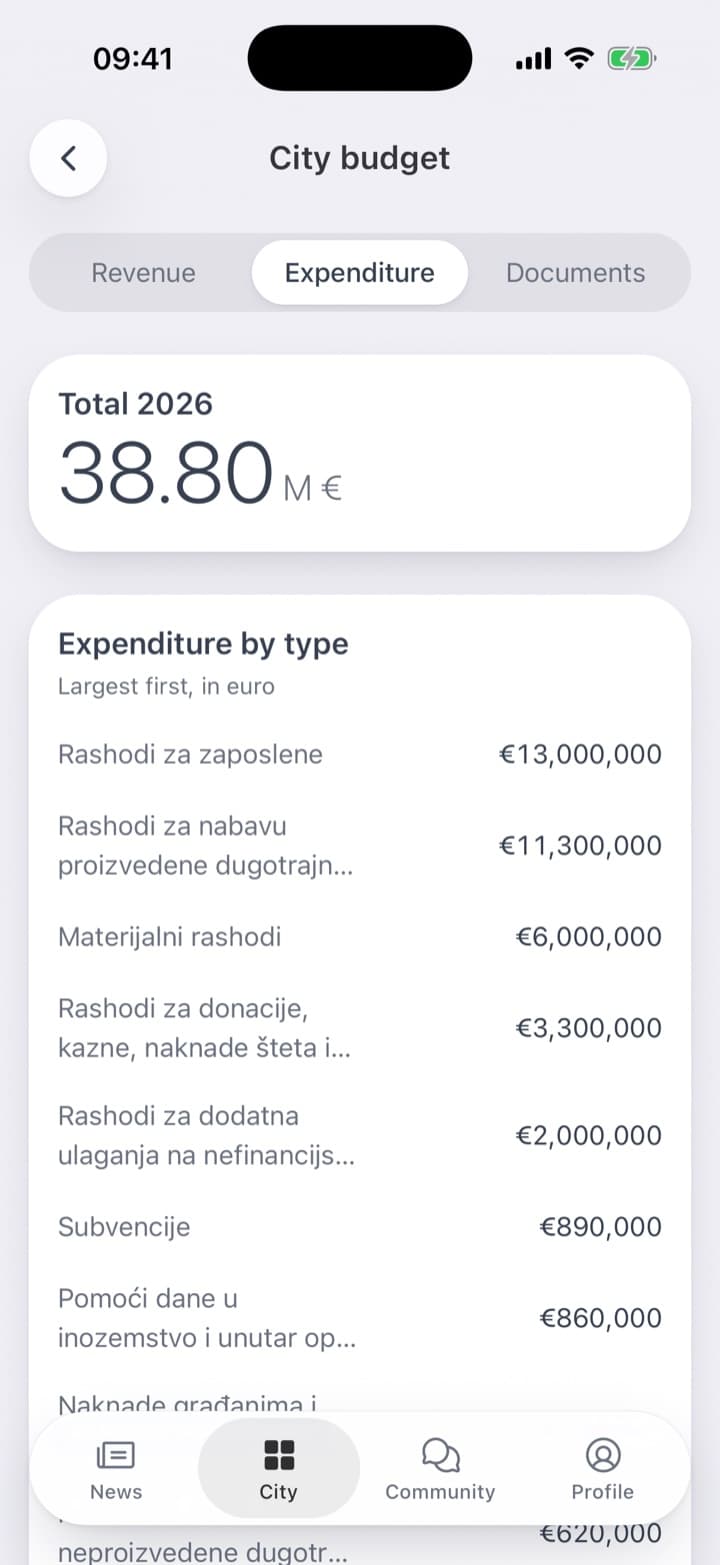
One tap opens the detail. The revenue tab lists where the money comes from, by type, largest first, in euro: taxes, grants from other levels of government and from abroad, fees, the city's own property. The expenditure tab does the same for what the money is spent on: staff, investment, materials and services, donations, subsidies.
The items keep the names they carry in the adopted budget, so every figure in the app can be found under the same name in the document. The largest item comes first, so the reader sees at once where the weight is.
The documents behind the figures
Figures on a phone are a summary, and a reader should be able to set a summary beside the whole. That is why the third tab holds the documents themselves: the adopted budget, the proposal that went before the council, and the decision on how the budget is carried out. They open exactly as the council saw them.
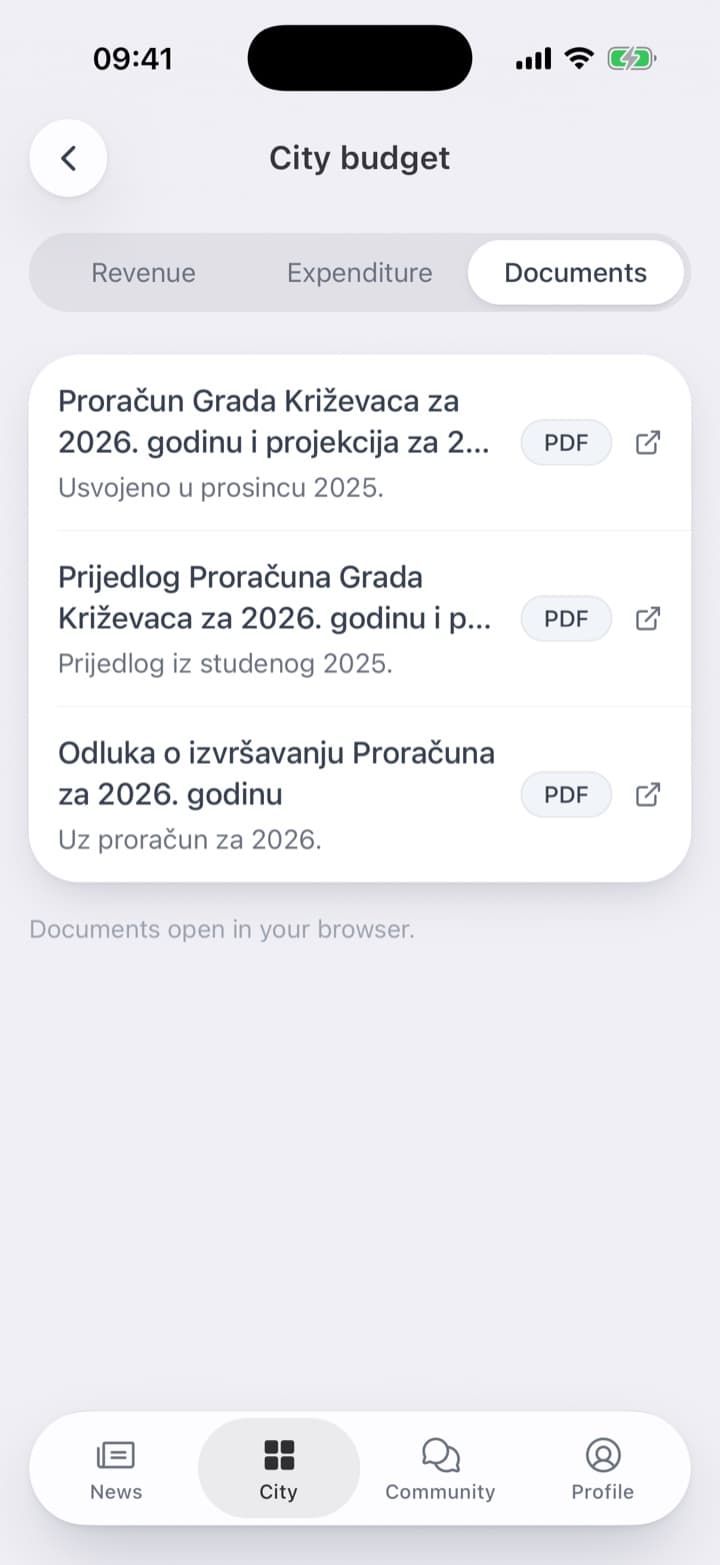
A citizen who only wanted the big picture has it in two taps. A citizen who wants to look closer at a figure, or a local journalist, has the full document one tap further. Both see the same budget, and neither has to ask the office for it.
Right next to the budget, a city can also let its citizens propose what part of it should be spent on, and vote on one another's proposals. That is a story of its own.
What it takes
Only the budget the city has already adopted: revenue and expenditure by type, and the documents that go with it. Someone at the city enters the amounts per type once, on a simple web page, and updates them when the council amends the budget.
The budget is the most important document a city adopts each year, and it is written about citizens' money. It only needs to reach the people it is about, in a form they will actually read.